
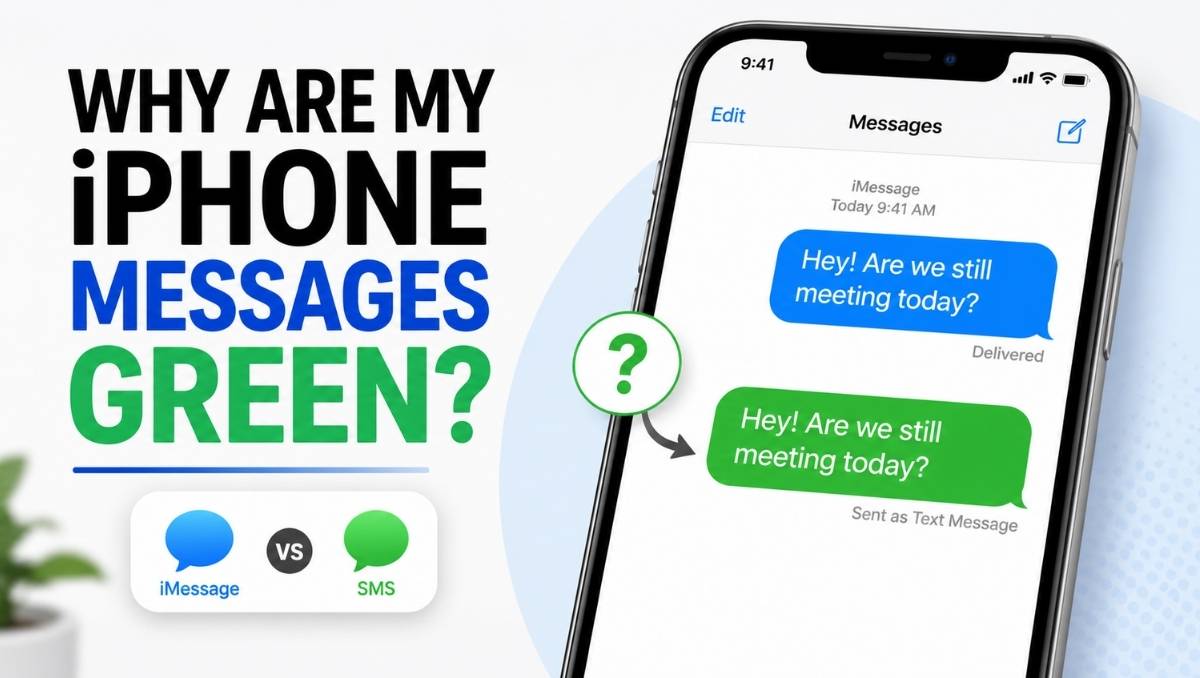
If your iPhone messages suddenly turned green instead of blue, you’re probably wondering what changed.
In most cases, there’s nothing wrong with your phone. Green text simply means your message was sent using SMS, MMS, or RCS instead of iMessage.
This guide explains why it happens, whether it means you’ve been blocked, and how to switch back to blue messages when possible.
Quick Answer
Green text on iPhone = SMS, MMS, or RCS message (not iMessage).
A green message bubble means your iPhone sent the message through your mobile carrier instead of Apple’s iMessage service.
It does not automatically mean you’ve been blocked.
Green Text Meaning on iPhone at a Glance
| Message Color | Meaning | Works With | Internet Required |
|---|---|---|---|
| Green | SMS, MMS, or RCS | iPhone and Android | No (SMS/MMS), Yes (RCS) |
| Blue | iMessage | Apple devices only | Yes |
Why Are My Texts Green?
There are several reasons your messages may appear green.
1. You’re Texting an Android User
This is the most common reason.
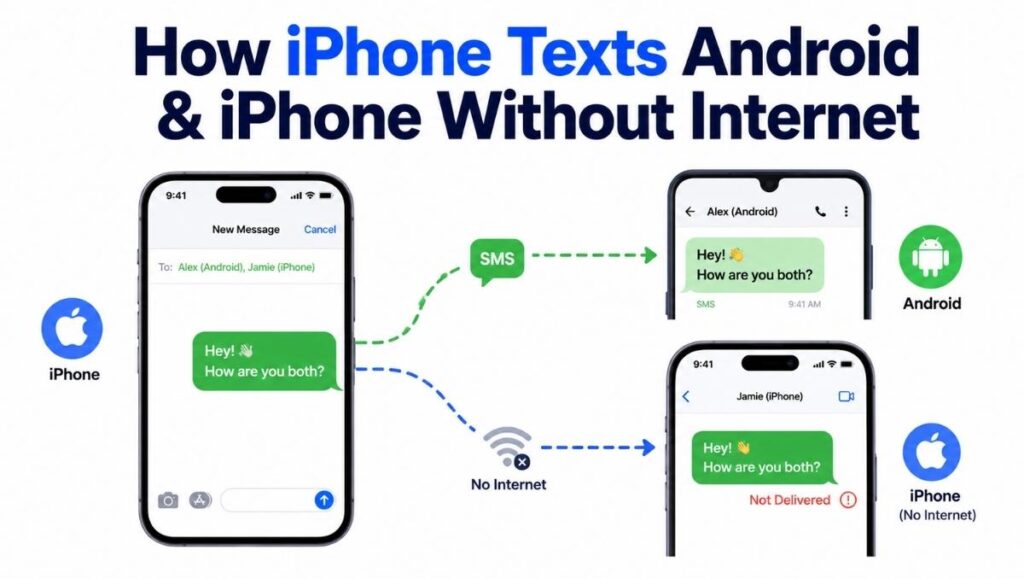
iMessage only works between Apple devices. If the other person uses an Android phone, your iPhone automatically sends a green SMS, MMS, or RCS message instead.
2. Your Internet Connection Is Poor
iMessage needs Wi-Fi or cellular data.
If your internet connection drops, your iPhone may send the message as SMS instead, causing the bubble to turn green.
Try switching between Wi-Fi and mobile data to see if the issue disappears.
3. iMessage Is Turned Off
If iMessage is disabled on your iPhone, every message will be green.
To check:
- Open Settings
- Tap Apps
- Select Messages
- Make sure iMessage is turned on
If it was off, enable it and wait a few minutes for activation.
4. The Recipient Turned Off iMessage
Even if the other person owns an iPhone, they may have disabled iMessage or temporarily lost internet access.
In that case, your message is sent as SMS instead.
5. Apple’s iMessage Service Is Temporarily Unavailable
Although uncommon, Apple servers occasionally experience outages.
When this happens, your iPhone may temporarily fall back to SMS until iMessage becomes available again.
Does Green Text Mean You’re Blocked?
No.
A green text does not automatically mean someone blocked you.
Many people assume this because their blue messages suddenly become green, but there are several other explanations.
Possible reasons include:
- They’re using an Android phone.
- Their iPhone is offline.
- Their iMessage is disabled.
- They changed phones.
- There is a temporary network issue.
If someone blocks you, Apple does not notify you, and green bubbles alone are not reliable evidence.
This is one of the biggest misconceptions about iPhone messaging.
Why Are My Text Messages Green When They Should Be Blue?
If you’re texting another iPhone and the messages suddenly turned green, check these possibilities:
- Your internet isn’t working.
- Their internet isn’t working.
- iMessage is disabled on one device.
- Apple services are temporarily unavailable.
- Your carrier is sending the message as SMS.
In many cases, blue messages return automatically once both devices reconnect.
What Does It Mean When Your Messages Turn Green Suddenly?
A sudden change from blue to green usually means iMessage couldn’t be used at that moment.
This change is often temporary.
For example:
- You entered an area with poor signal.
- The recipient turned off their phone.
- Wi-Fi disconnected.
- Cellular data stopped working.
Once iMessage is available again, future messages normally return to blue.
Can Green Messages Still Be Delivered?
Yes.
Green messages can still be delivered successfully.
However, unlike iMessages, standard SMS messages usually don’t show:
- Read receipts
- Typing indicators
- Message editing
- Message unsending
- High-quality media sharing
Whether you receive a delivery confirmation depends on your carrier’s support for SMS or RCS.
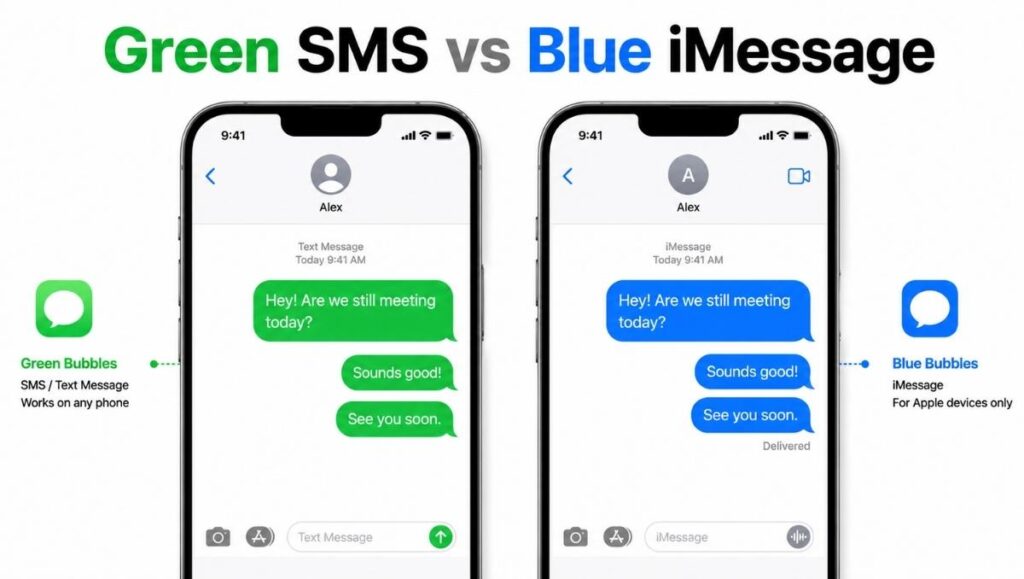
Green vs Blue Messages on iPhone
| Feature | Green Messages | Blue Messages |
|---|---|---|
| Uses iMessage | No | Yes |
| Uses SMS/MMS/RCS | Yes | No |
| Read Receipts | Usually No | Yes (optional) |
| Typing Indicator | No | Yes |
| Edit Messages | No | Yes |
| Unsend Messages | No | Yes |
| Works with Android | Yes | No |
How to Change Green Messages Back to Blue
If both people use iPhones, try these steps:
- Check your internet connection.
- Turn iMessage on in Settings.
- Restart your iPhone.
- Verify the recipient still uses iMessage.
- Update iOS if available.
- Wait a few minutes if Apple’s messaging service is experiencing issues.
If the other person uses Android, your messages will remain green because iMessage does not work across platforms.
Examples
Example 1: Texting an Android Friend
You: Are we still meeting at 7?
The message appears in a green bubble because the recipient uses Android.
Example 2: Poor Internet
You send a message while traveling through an area with weak data coverage.
Instead of blue, your message appears green because iMessage couldn’t connect.
Example 3: Another iPhone User
Your friend’s phone battery dies.
Your next message appears green until they reconnect to the internet and iMessage becomes available again.
Common Misunderstandings
Green Does Not Mean Someone Blocked You
Many online discussions suggest green bubbles mean you’ve been blocked.
This isn’t true.
A green message only tells you the message was sent using SMS, MMS, or RCS instead of iMessage.
Green Messages Are Not “Bad”
Some people think green texts are lower quality.
In reality, they simply use a different messaging technology.
Millions of text messages are sent this way every day.
Message Color Can Change
A conversation may switch between blue and green depending on network conditions.
This is completely normal.
Similar Texting Terms
If you’re learning messaging and texting abbreviations, you may also find these guides useful.
| Slang | Meaning |
|---|---|
| HN Meaning in Text | Explains the different meanings of HN in chats and texting. |
| NTM Meaning in Text | Covers multiple meanings of NTM across online conversations. |
| HG Meaning in Text | Learn what HG means in texting and social media. |
| What Does ION Mean in Text | Understand the slang meaning of ION with examples. |
| YN Meaning | Learn the different meanings of YN in texting and online communities. |
Frequently Asked Questions
Why are my texts green instead of blue?
Green bubbles mean your message was sent as SMS, MMS, or RCS instead of iMessage.
Does green text mean I’m blocked?
No. Green messages alone cannot tell you whether someone blocked you.
Can iPhone users send green messages to each other?
Yes. This happens when iMessage is unavailable or turned off.
Why did my messages suddenly turn green?
Usually because iMessage couldn’t be used due to internet problems, settings, or temporary service issues.
Can I make my green texts blue again?
If both people use iPhones, enable iMessage, check your internet connection, and wait for the service to reconnect.
Conclusion
Green text on an iPhone simply means your message was sent using SMS, MMS, or RCS instead of iMessage.
Most of the time, it’s caused by texting an Android user, a weak internet connection, or iMessage being unavailable.
While many people worry that green messages mean they’ve been blocked, that’s usually a myth.
Understanding the difference between green and blue message bubbles makes it much easier to know what’s actually happening when you send a text.